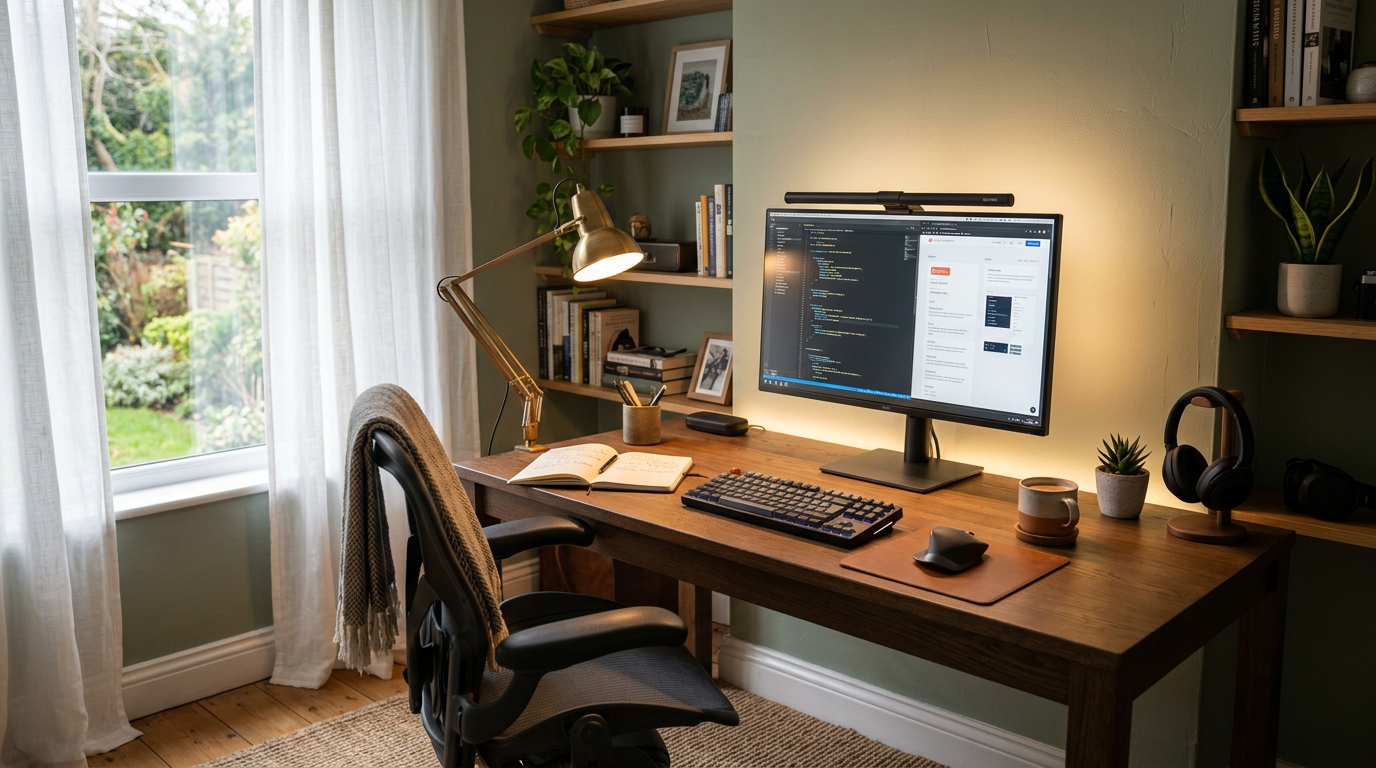
Eye Strain Is a Design Problem
If you end your workday with tired, dry eyes, headaches, or blurred vision, your lighting is likely the culprit. Proper office lighting isn’t about brightness — it’s about balance, positioning, and quality. And well-designed lighting looks as good as it functions.
Natural Light Is Your Foundation
Desk Position Relative to Windows
The ideal position is perpendicular to your window — light comes from the side. Facing the window creates glare on your screen and silhouettes your keyboard. Backing the window puts glare behind you but creates shadows on your work surface and a bright reflection on your monitor.
Managing Natural Light
Sheer curtains or adjustable blinds let you control intensity throughout the day. Morning and afternoon sun angles change dramatically — you need flexibility.
Supplement, Don’t Replace
Natural light alone isn’t sufficient for all-day work. Clouds, seasons, and time of day create inconsistent levels. Use it as your primary source and supplement with artificial lighting.
Task Lighting for the Desk
The Ideal Desk Lamp
Look for a lamp with adjustable brightness, adjustable color temperature, and a swing arm for positioning. LED desk lamps rated 400-600 lumens at 4000-5000K provide focused, comfortable work light.
Position Correctly
Place your desk lamp on the opposite side of your dominant hand to avoid casting shadows while writing. The light should illuminate your work surface without reflecting off your screen.
Light Bars
Monitor-mounted light bars sit on top of your screen and cast light downward onto your desk without creating screen glare. They’re space-efficient and specifically designed for screen-heavy work.
Ambient Room Lighting
Reducing Contrast
The biggest cause of eye strain is contrast between a bright screen and a dark room. Keep ambient room lighting at roughly the same brightness as your screen. If your screen glows like a beacon in a dark room, your eyes are working too hard.
Ceiling Lights on Dimmers
An overhead light on a dimmer lets you match ambient brightness to conditions. Bright on cloudy days, lower when natural light is strong. Install a dimmer — it’s a minor expense with major comfort benefits.
Bias Lighting
LED strip lights behind your monitor create a soft glow that reduces the contrast between the bright screen and the darker wall behind it. A warm white strip (3000-4000K) provides comfortable bias lighting. It’s a simple addition that makes hours of screen time significantly more comfortable.
Screen Settings
Brightness Matching
Your screen brightness should match the ambient brightness of your workspace. If a white webpage looks like a light source, it’s too bright. If it looks gray and dull, it’s too dim.
Night Mode and Color Temperature
Use your operating system’s night mode or a tool like f.lux to shift your screen’s color temperature warmer as evening approaches. This reduces blue light exposure and eases eye strain during late work sessions.
Text Size and Contrast
Don’t squint. Increase text size until reading is effortless. High contrast (dark text on light background during the day) reduces strain. Some people find dark mode easier; experiment with both.
Fixture Recommendations by Style
Modern
A slim, articulating LED desk lamp in matte black or white. A pendant with a diffused globe for ambient light. Clean lines and purposeful forms.
Traditional
A classic banker’s lamp with a green or brass shade provides warm, focused light. Pair with a table lamp on a bookshelf for ambient fill.
Scandinavian
A minimal wood-and-metal desk lamp. Pendant lights in natural materials. Emphasis on maximizing natural light with sheer window coverings.
Industrial
Exposed bulb fixtures, metal clamp lamps, and vintage-style Edison bulbs (LED versions for efficiency). Be careful that exposed bulbs aren’t visible from your seated position — they cause direct glare.
Common Office Lighting Mistakes
- Only overhead lighting — flat and shadow-free sounds good but creates glare on screens
- Fluorescent tubes — harsh, flickering (even imperceptibly), and fatiguing
- Desk facing a bright window — constant squinting
- No ambient light — your eyes constantly adjust between bright screen and dark room
- Cool-white bulbs everywhere — 6000K+ is clinical and tiring for extended exposure
The 20-20-20 Rule
Every 20 minutes, look at something 20 feet away for 20 seconds. This relaxes the ciliary muscles in your eyes that strain during close-focus work. Positioning your desk near a window with a view makes this habit natural and pleasant.